
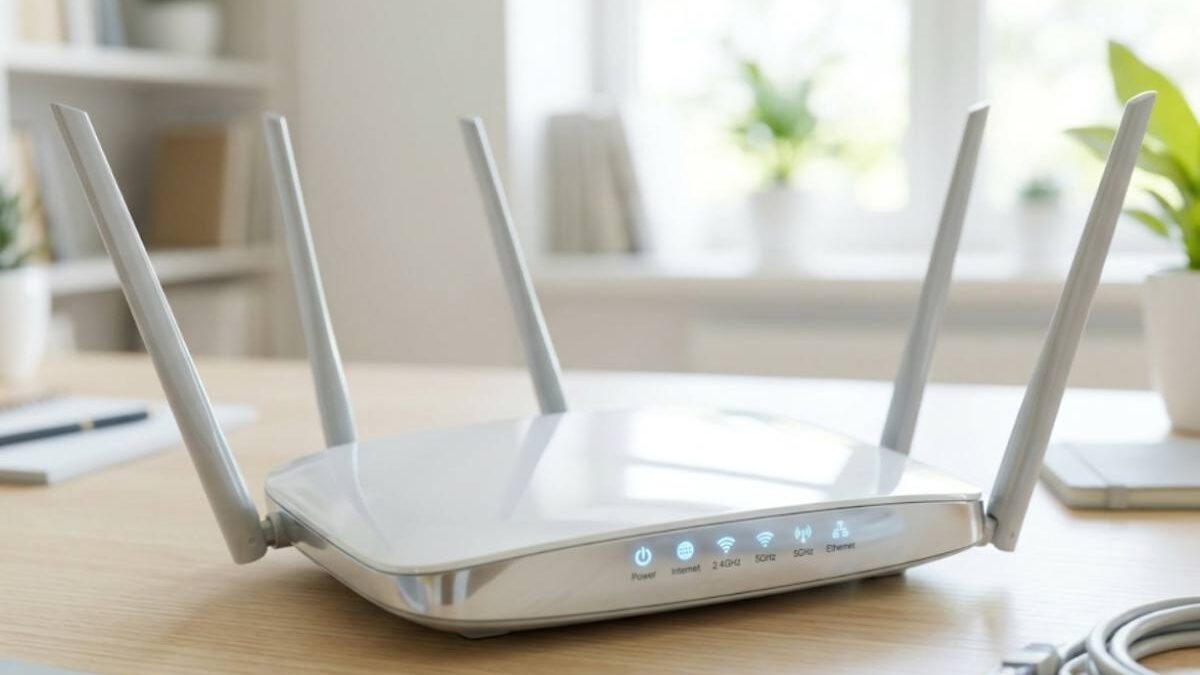
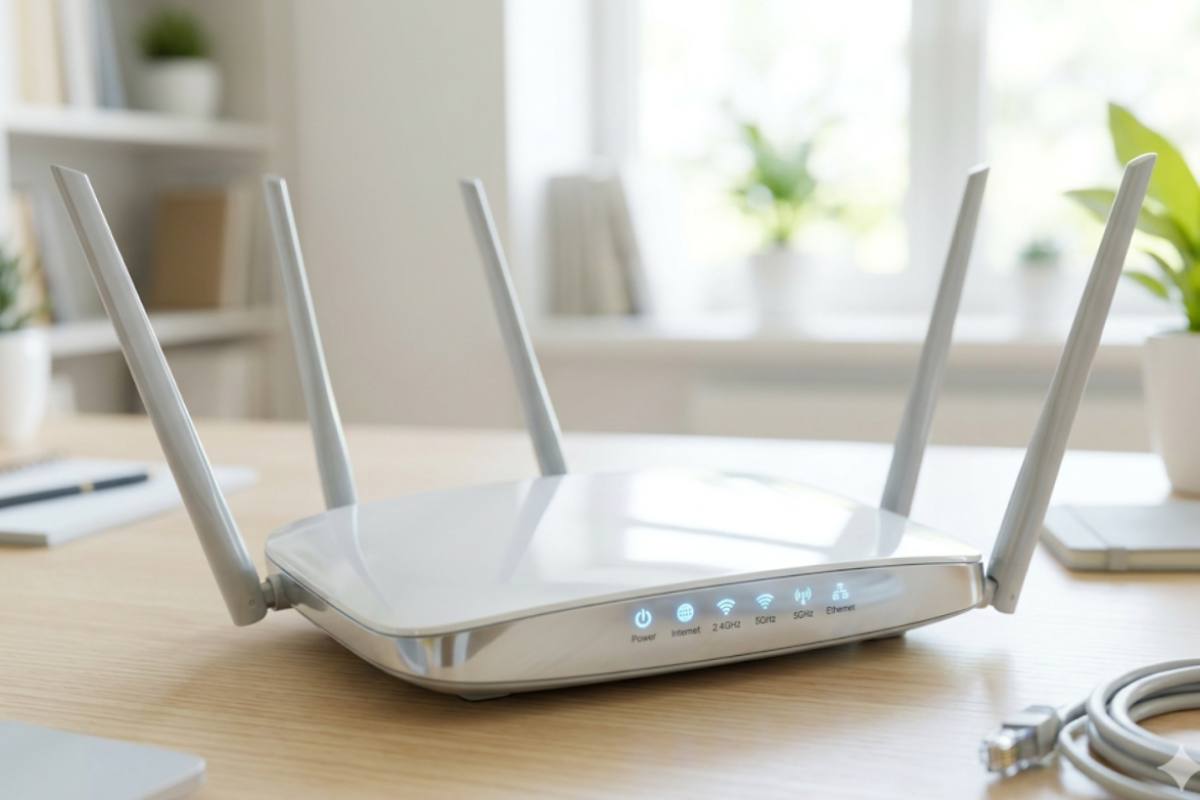
A router receives and sends information over computer networks. Routers are sometimes confused with network hubs, modems, or network switches. However, routers can combine the functions of these components and connect to these components to improve Internet access or help build a corporate network.
Table of Contents
What is a Router?
A router is a networking device that connects multiple networks and intelligently directs data packets between them using routing tables, protocols, and algorithms. It acts as the internet’s traffic manager, ensuring data reaches its intended destination efficiently.
Unlike basic devices:
- Modem → Connects to ISP
- Switch → Connects devices within a LAN
- Router → Connects multiple networks and routes traffic
How does a Router Work?
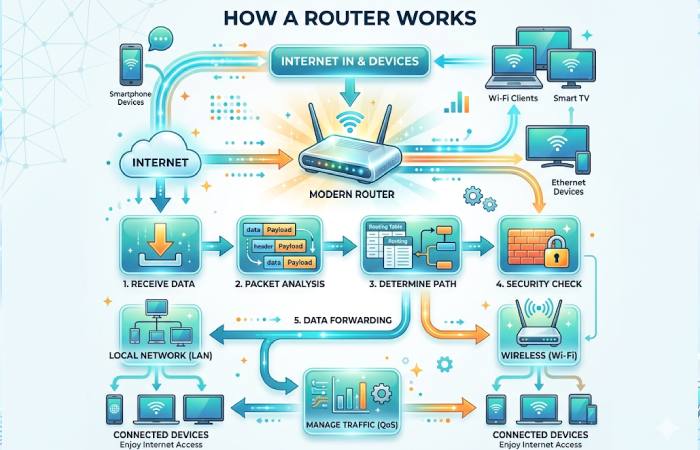
Routers direct network traffic using packets that carry various data types, including files, communications, and simple transfers like web interactions.
Data packets have multiple layers or sections; one contains identifying information such as sender, data type, size, and destination Internet Protocol (IP) address. The router reads this sheet, prioritizes the data, and chooses the best path for each transmission.
Step-by-Step Packet Routing Process:
- Packet Creation – Data is broken into packets
- Header Assignment – Includes:
- Source IP
- Destination IP
- Protocol type
- Routing Table Lookup – Router checks best path
- Forwarding Decision – Based on:
- Shortest path (OSPF)
- Least cost (RIP)
- Packet Forwarding – Sent to next hop
- Delivery Completion – Reassembled at destination
Key Routing Protocols:
| Protocol | Type | Use Case |
| RIP | Distance Vector | Small networks |
| OSPF | Link State | Enterprise networks |
| BGP | Path Vector | Internet backbone |
| EIGRP | Hybrid | Cisco networks |
Router Security Features (Advanced)
| Feature | Description | Importance |
| Firewall | Blocks unauthorized access | High |
| WPA3 Encryption | Latest WiFi security | Critical |
| VPN Support | Secure remote access | High |
| MAC Filtering | Device-level control | Medium |
| Parental Controls | Content restrictions | Medium |
| Guest Network | Separate access | High |
How do Routers help your Business?
As a standard tool in modern network computing, routers connect employees to local area networks and the Internet, where nearly all critical business activity occurs. Without routers, we wouldn’t be able to use the Internet to collaborate, communicate, or gather information and learn.
Routers can also provide security. Built-in content filtering and firewall software provide additional protection against unwanted content and malicious websites without affecting your online experience. However, a router is not only used for data transmission or internet connection. For example, most routers let you connect hard drives and use them as file or printer sharing servers that everyone on the network can access.
Business Router Vs. Home Router
The Speed
Business routers have more stable and faster performance on the central processing unit (CPU) than home routers. In addition, there may be a power failure; Flash memory automatically saves its contents when the router is powered off or restarted. The higher the flash and RAM capacity of your router, the easier it will be to expand your network; in this case, professional routers have more power. They also tend to have more RAM, improving data throughput, resending frequency, and even speed.
Security
Since it supports fewer protocols, the home router does not support defense against internal and external attacks such as viruses, trojans, and hacker attacks. In addition, security is not guaranteed at all. Instead, corporate routers have more routing protocols (SNMP, Policy-Based Routing, Unified Management Protocol, etc.) that ensure secure network operations and prevent user data theft. Home routers are suitable for strict network environments. However, enterprise network environments are complex and require more powerful enterprise routers to meet their needs. More WAN interfaces, more bandwidth and load balancing, flexible flow control, more connections, VPN applications and more.
Top Router Brands & Competitors
| Brand | Strength | Price Range | Website |
| TP-Link | Affordable, reliable | ₹800 – ₹15,000 | https://www.tp-link.com |
| Netgear | High performance | ₹3,000 – ₹40,000 | https://www.netgear.com |
| Asus | Gaming & WiFi 6 | ₹5,000 – ₹35,000 | https://www.asus.com |
| Cisco | Enterprise-grade | ₹20,000 – ₹5,00,000 | https://www.cisco.com |
| Ubiquiti | Advanced networking | ₹10,000 – ₹1,00,000 | https://ui.com |
| D-Link | Budget-friendly | ₹1,000 – ₹10,000 | https://www.dlink.com |
Types of Routers
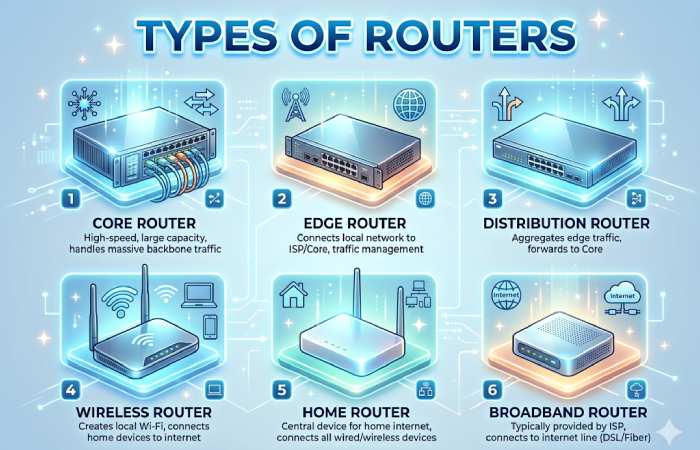
1. Primary Router
Core routers are typically used by service providers (e.g., AT&T, Verizon, Vodafone) or cloud providers (e.g., Google, Amazon, Microsoft). They offer the maximum bandwidth to connect additional routers or switches. Most businesses don’t need core routers. But large companies with many employees working in multiple buildings or locations can use core routers as part of the network architecture.
2. Edge Router
A perimeter router also called a gateway router or “gateway,” is your network’s outermost connection point to external networks, including the Internet.
Edge routers optimize bandwidth and are design to connect to other routers to distribute data to end users. Edge routers typically don’t offer WiFi or the ability to manage LANs fully. Instead, they usually only have ethernet ports, one input for connecting to the Internet, and multiple outputs for connecting other routers.
The terms perimeter and modem are use almost interchangeably, although the latter term is no longer used by manufacturers or IT professionals to refer to edge routers.
3. Distribution Router
A distribution or indoor router receives data from the border router (or gateway) over a wired connection. It then sends them to end users, usually over WiFi, although the router often contains physical (Ethernet) links. For example, to connect additional users or routers.
4. Wireless Router
WLAN routers or home gateways combine the functions of perimeter routers and distribution routers. These routers are standard in home networks and for Internet access.
Most service providers offer complete wireless routers as standard equipment. While you can use your ISP’s wireless router in your small business, you may prefer to use an enterprise-grade router for better wireless performance, tighter connectivity controls, and security.
5. Virtual Router
Virtual Routers are software that allows you to virtualize certain functions of the Cloud Router to provide them as a service. These routers are ideal for huge businesses with complex network needs. They offer flexibility, easy scalability, and low entry costs. Another advantage of virtual routers is to reduce the management load on LAN hardware.
Router Price Comparison (India – 2026)
| Router Type | Price Range (₹) | Popular Models | Best For |
| Basic Home Router | 800 – 2,500 | TP-Link N300, D-Link DIR-615 | Small homes |
| Dual-Band Router | 2,500 – 6,000 | Netgear R6230, TP-Link Archer C6 | Streaming & gaming |
| WiFi 6 Router | 6,000 – 18,000 | Asus RT-AX55, TP-Link AX3000 | Smart homes |
| Gaming Router | 10,000 – 35,000 | Asus ROG, Netgear Nighthawk | Low latency gaming |
| Business Router | 15,000 – 1,50,000+ | Cisco ISR, Ubiquiti EdgeRouter | Offices |
| Mesh WiFi System | 8,000 – 40,000 | Google Nest WiFi, Deco X20 | Large homes |
How Can I Extend My Router’s Wi-Fi?
There are several ways to extend WiFi. You can set up a WiFi extender to extend the range or upgrade your wireless device; Also, be sure to place the wireless router and access point correctly. Also, in corporate environments, you can set up a wireless distribution system (WDS) or create a wireless mesh network.
How to Extend Router WiFi (Advanced Methods)
| Method | Cost | Effectiveness | Use Case |
| WiFi Extender | ₹1,500 – ₹5,000 | Medium | Small homes |
| Mesh Network | ₹8,000+ | High | Large houses |
| Access Point | ₹3,000 – ₹10,000 | High | Offices |
| Powerline Adapter | ₹4,000 – ₹8,000 | Medium | Thick walls |
| WDS Setup | Free | Medium | Tech users |
Router Performance Comparison (Home vs Business)
| Feature | Home Router | Business Router |
| Speed | Medium | High |
| Security | Basic | Advanced |
| Users Supported | 10–20 | 100+ |
| VPN | Limited | Full Support |
| Cost | Low | High |
Best Routers in India 2026
| Router Name | Type | Speed | Best For | Price (₹) | Buy Link |
| TP-Link Archer AX55 AX3000 WiFi 6 Router | WiFi 6 | 3000 Mbps | Homes + Streaming | ₹7,000 – ₹9,000 | Amazon / Flipkart |
| ASUS RT-AX55 AX1800 WiFi 6 Router | WiFi 6 | 1800 Mbps | Gaming + Smart Home | ₹10,000 – ₹15,000 | Amazon |
| Netgear Nighthawk RAX40 AX3000 Router | WiFi 6 | 3000 Mbps | High-speed internet | ₹10,000 – ₹12,000 | JioMart / Amazon |
| TP-Link Archer C6 AC1200 Router | Dual Band | 1200 Mbps | Budget users | ₹2,000 – ₹3,000 | Amazon / Flipkart |
| Xiaomi Mi Router 4A | Dual Band | 1200 Mbps | Small homes | ₹1,200 – ₹1,800 | Amazon |
| TP-Link Archer AX73 AX5400 Router | WiFi 6 | 5400 Mbps | Large homes + 4K streaming | ₹8,000 – ₹10,000 | Flipkart |
| ASUS RT-AX86U Pro Gaming Router | Gaming | 5700 Mbps | Pro gamers | ₹20,000 – ₹30,000 | Amazon |
| Netgear Nighthawk AX5 AX4200 Router | WiFi 6 | 4200 Mbps | Heavy usage | ₹10,000 – ₹13,000 | Online stores |
| TP-Link Archer AX10 AX1500 Router | WiFi 6 | 1500 Mbps | Budget WiFi 6 | ₹2,500 – ₹4,000 | Amazon |
| TP-Link Archer Air R5 AX3000 Router | WiFi 6 | 3000 Mbps | Modern homes | ₹6,000 – ₹7,000 | Amazon |
Country-Wise Router Price Comparison
| Country | Avg Price (Basic Router) | Avg Price (WiFi 6) | Buying Platforms |
| India | ₹1,200 | ₹8,000 | Amazon, Flipkart |
| USA | $20 | $120 | Amazon, BestBuy |
| UK | £18 | £110 | Currys, Amazon |
| UAE | AED 70 | AED 450 | Noon, Amazon |
| Australia | AUD 35 | AUD 180 | JB Hi-Fi |
Router Buying Guide
Choose Based On:
- Internet speed (100 Mbps vs 1 Gbps)
- Area size (small vs large home)
- Devices connected
- Gaming or streaming needs
- Security requirements
Recommended Picks:
- Budget: TP-Link N300
- Mid-range: Archer AX55
- High-end: Asus ROG Gaming Router
Common Router Mistakes to Avoid
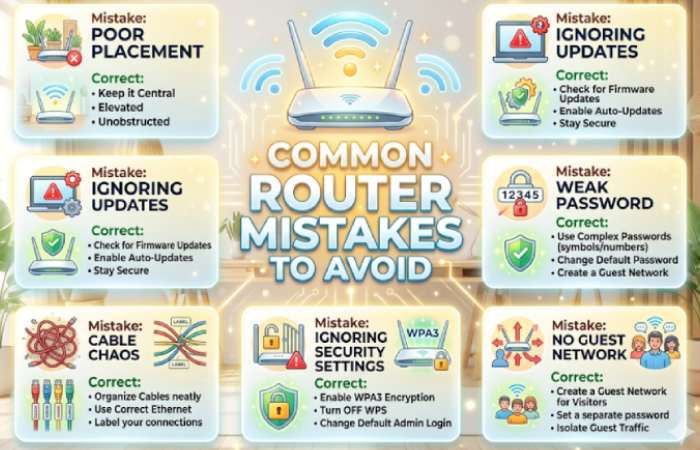
- Placing router in corners
- Not updating firmware
- Using default passwords
- Ignoring security settings
- Overloading with devices
Future of Routers (2026–2030)
- WiFi 7 adoption
- AI-powered routers
- Cloud-managed networking
- Smart home integration
- 5G routers replacing broadband
Conclusion
A router is a network device that transfers data packets between computer networks. Routers perform the functions of routing traffic over the Internet. Data sent over the Internet, such as a website or email, arrives as data packets.